Creative Code 01 · Tool · Creative code
Slice & Repeat
A tool that turns a photo into an irregular grid of face slices.
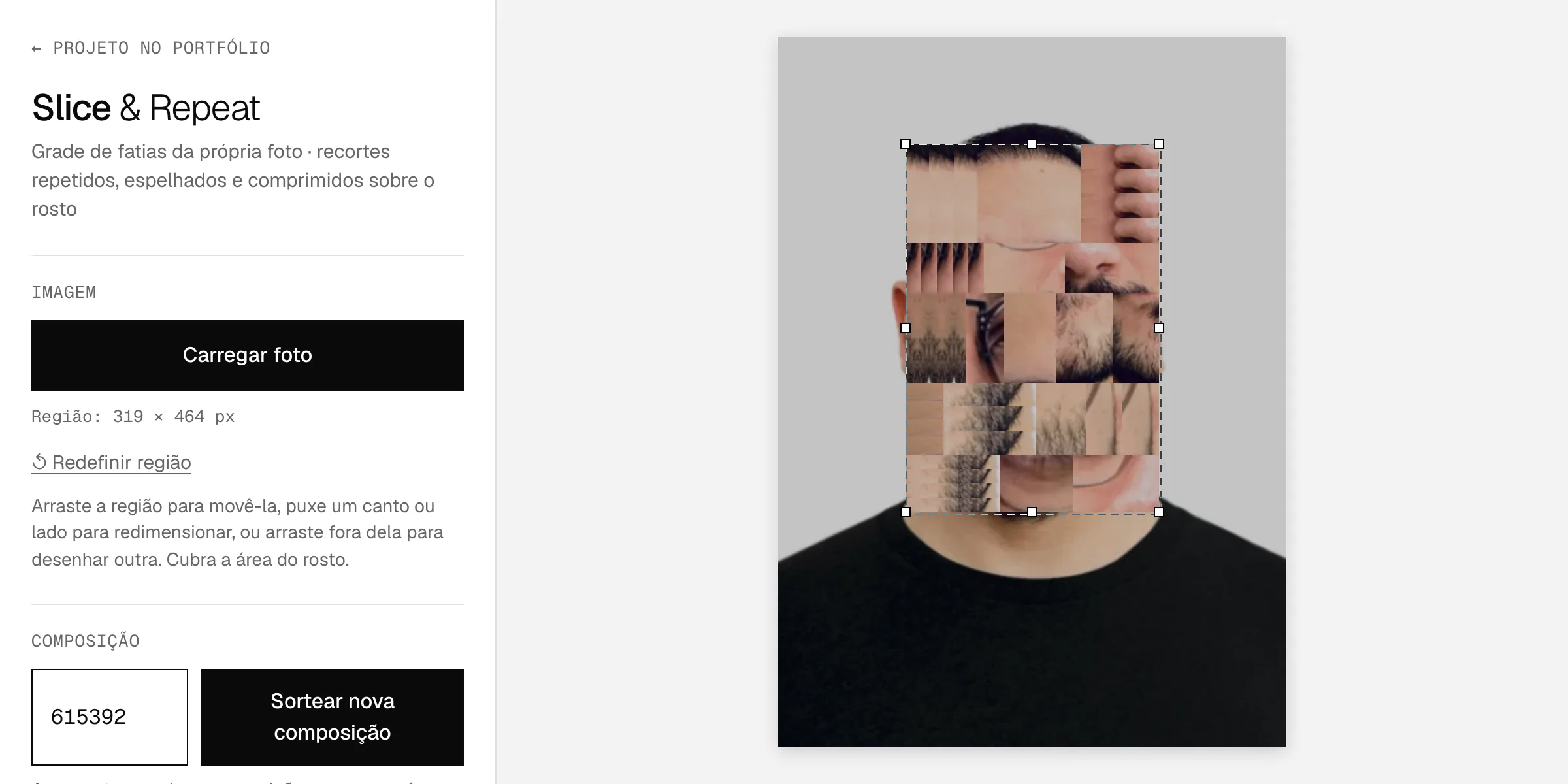
The tool
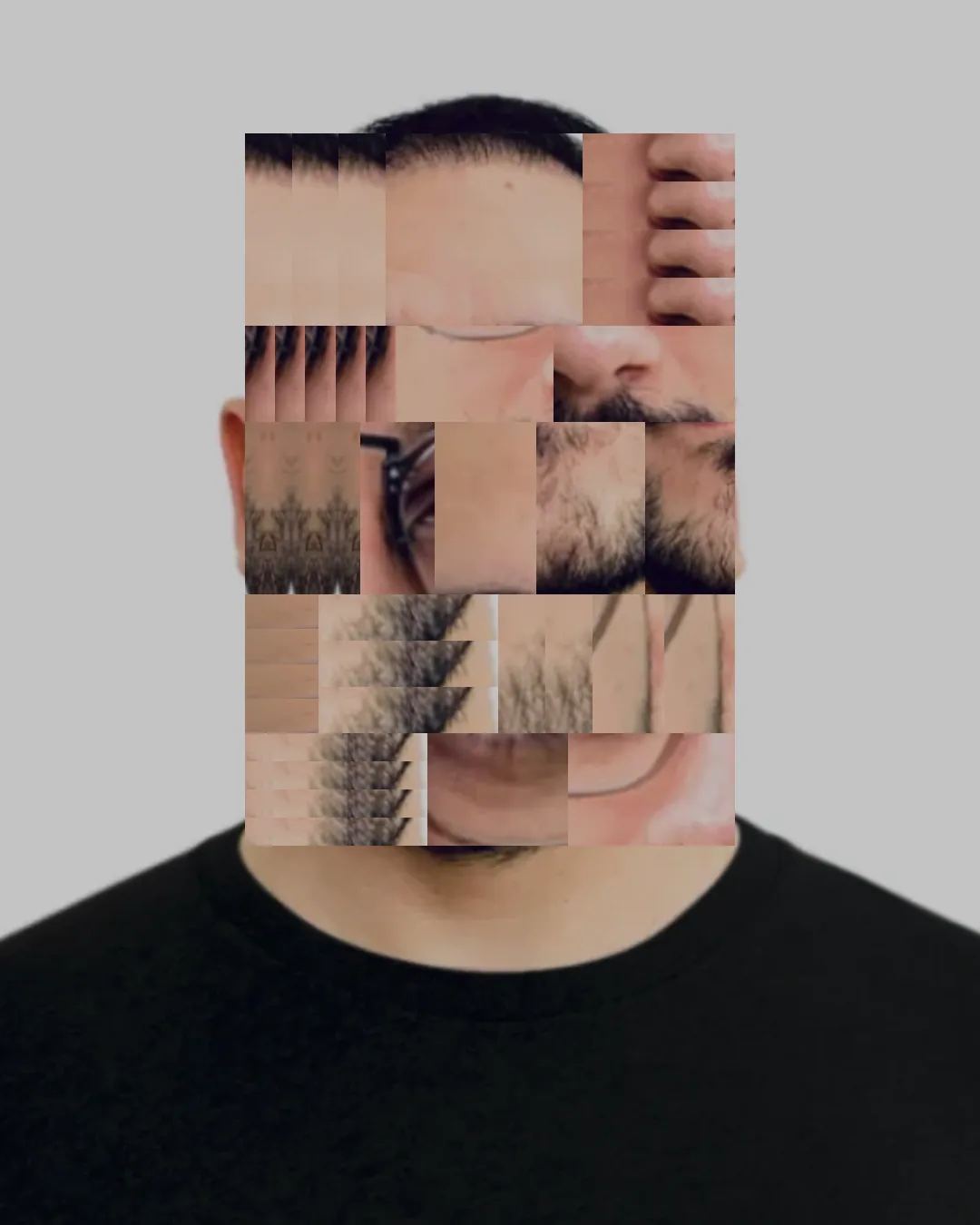
You upload a photo and mark the face area. The tool splits that area into rows and cells of different sizes and fills each cell with a slice taken from the photo itself. Some cells repeat the slice horizontally or vertically, others mirror or compress it. The result hides the face without erasing it.
Each composition comes from a seed. The same number with the same settings always gives the same result, and drawing a new seed is one shortcut away (R key). You can also click a cell and change just that one.
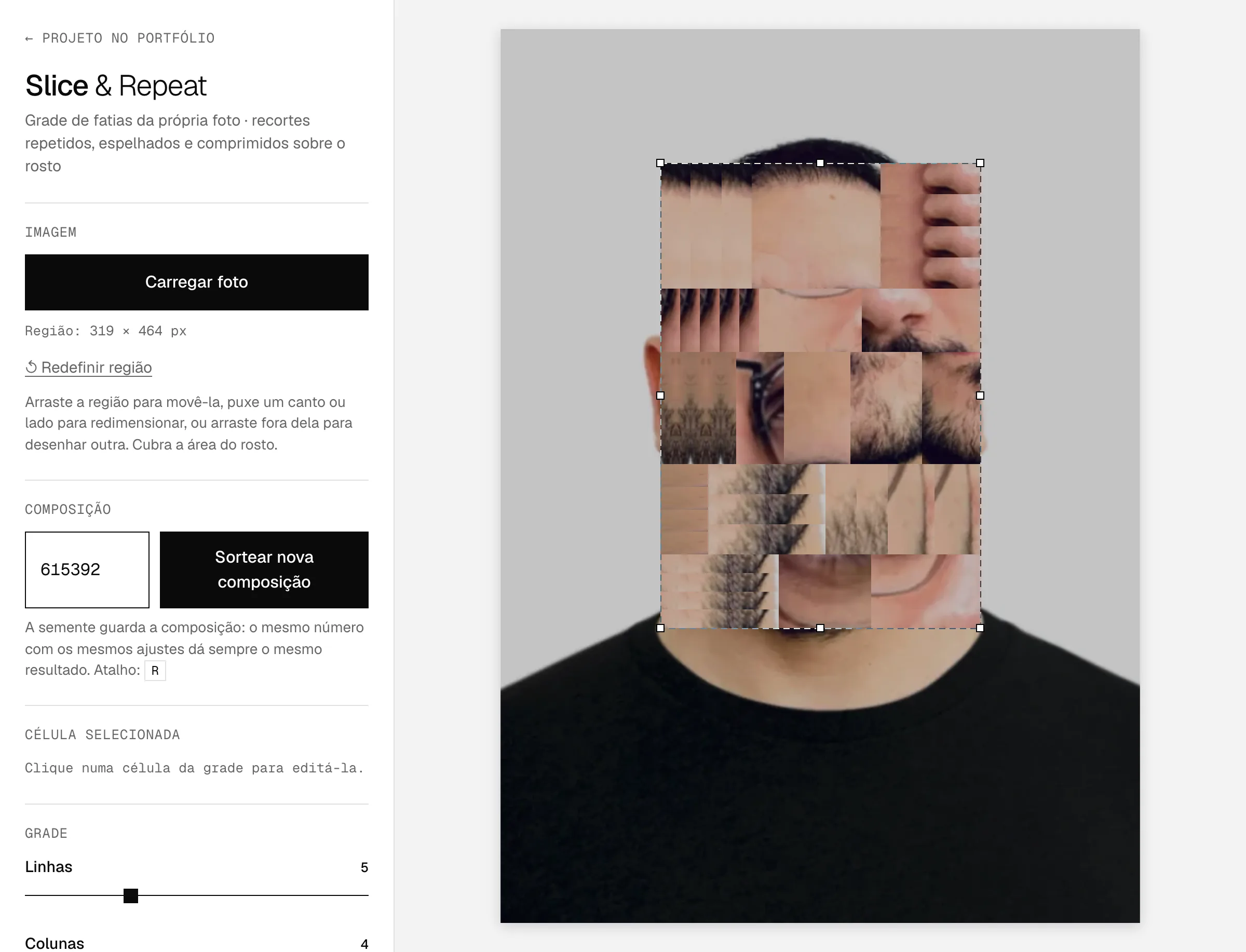
Controls
- Image
- Upload, drag, paste (⌘/Ctrl+V) or use the sample photo; a face area you can move and resize
- Composition
- A seed that saves the result, and drawing a new composition
- Cell
- Simple cut-out, horizontal or vertical repetition, number of repetitions, mirroring and drawing another slice
- Grid
- 2 to 12 rows and 1 to 8 columns, with irregularity and spacing between cells, in black or white
- Slices
- Taken from the area or the whole photo, source mix and crop zoom
- Repetition
- Number of repeated cells, maximum repetitions, compression and mirroring
- Format
- Original, Feed 4:5, Feed 1:1 and Stories 9:16, with a white, black or transparent background
- Export
- PNG or JPG at the exact dimensions of the chosen format
Privacy
Everything happens in the browser. The photo isn't sent to any server and the site doesn't store anything.